New Feature: Add a YouTube Video Gallery to Your Counselling Network Profile 🎥
New Feature:
Add a YouTube Video Gallery to Your Counselling Network Profile
Why we built this
When someone is looking for a counsellor, they’re not only choosing a service — they’re choosing a person.
A short video can do in 30 seconds what a page of text can’t:
-
help clients feel at ease,
-
show how you communicate,
-
and give a clearer sense of your style and approach.
That’s why we’ve added a simple way for you to embed videos directly on your Counselling Network profile.
What Video Gallery does
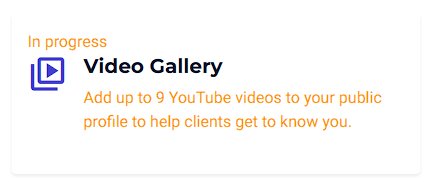
You can now add up to 9 YouTube videos to your public profile.
Each video can have:
-
a Title (so clients know what they’re about to watch)
-
a YouTube link (you paste it in)
-
a Size you choose, depending on how you want it laid out:
-
Small: 3 across (great for short clips)
-
Medium: 2 across (balanced)
-
Large: 1 across (perfect for a featured video)
-
Your profile stays mobile-friendly, and the videos stack neatly on smaller screens.
“Use the tech that’s already out there” (and save time)
This is one of those features that helps you get more value from the work you’re already doing.
If you:
-
record a quick intro video,
-
share a short wellbeing tip,
-
post a Shorts clip,
-
upload a talk or workshop snippet,
…then your video can now live in two places at once:
-
YouTube (where people can discover you)
-
Your Counselling Network profile (where people can contact you)
It’s a simple, practical way to reuse content and strengthen your presence without extra admin.
How to add your videos (takes minutes)
-
Go to Dashboard → Video Gallery
-
Click Add video
-
Enter a Title
-
Paste your YouTube link
-
Choose a Size
-
Click Save
-
Preview your public profile to see it live
You can also edit, delete, and reorder videos any time.
What YouTube links work?
Most standard YouTube links are supported:
-
youtube.com/watch?v=…
-
youtu.be/…
-
youtube.com/shorts/…
Tip: if a link doesn’t work first time, use YouTube’s Share button and paste the link it gives you.
Rolling out gradually (early access)
We’re enabling Video Gallery in stages so we can keep things smooth and gather feedback.
If you can’t see it yet in your dashboard, just message us and we’ll switch it on for you.
Ideas for your first few videos
If you’re not sure what to add, here are a few that work really well:
-
“What to expect in the first session”
-
“How I work / my approach”
-
“Who I help most”
-
“A gentle grounding exercise”
-
“A quick introduction to my counselling space or online setup”
Even one video can make a big difference.
If you’d like this feature enabled for your profile, get in touch — and if you already have a YouTube link ready, send it over and we’ll help you get it looking great on your profile.


